Events
Meta Ads Tracking
Track Surface Form conversions in Meta Ads
1. Get your Meta Pixel ID
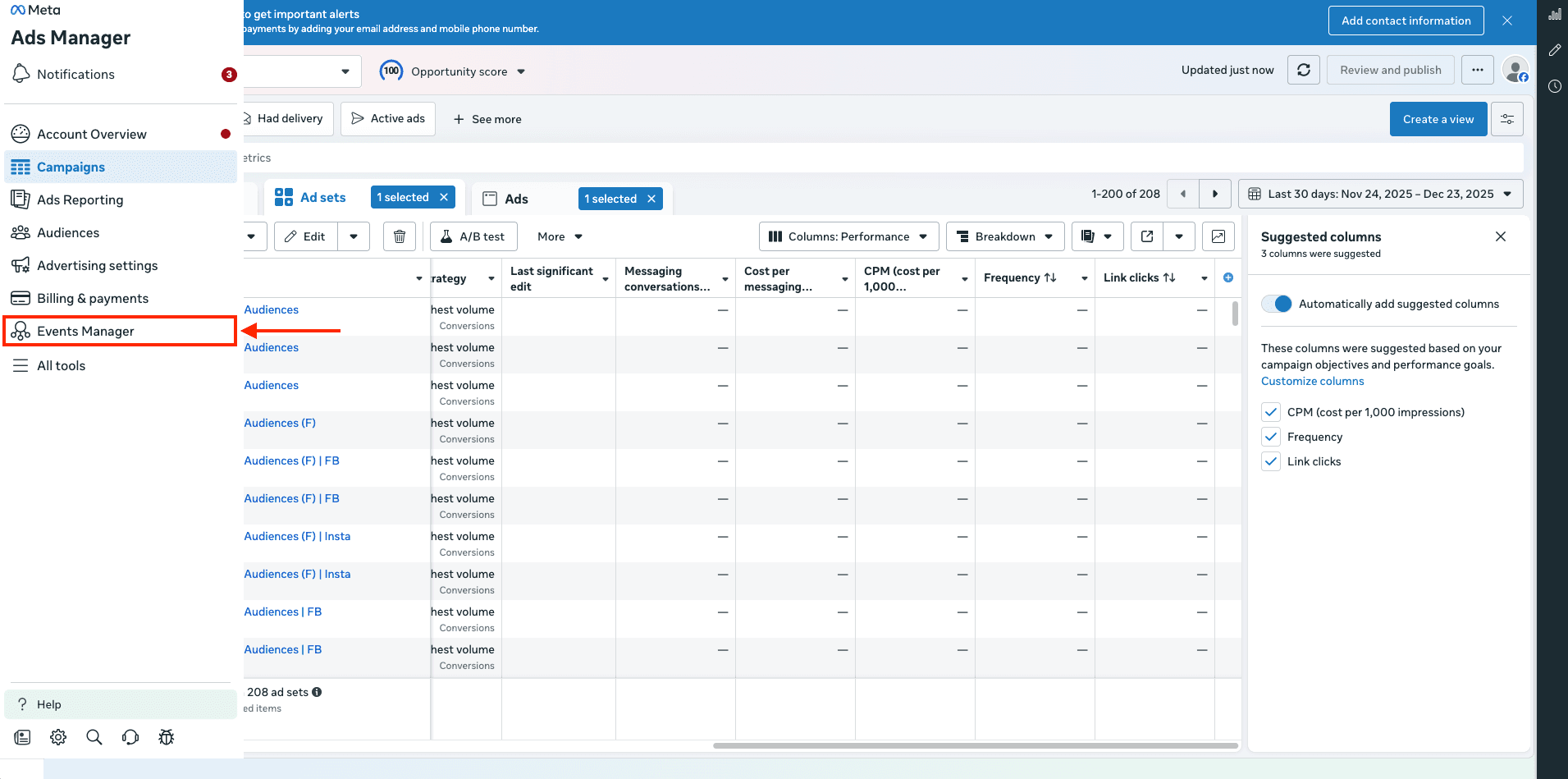
- Log into Meta Ads Manager and click on Events Manager from left sidebar
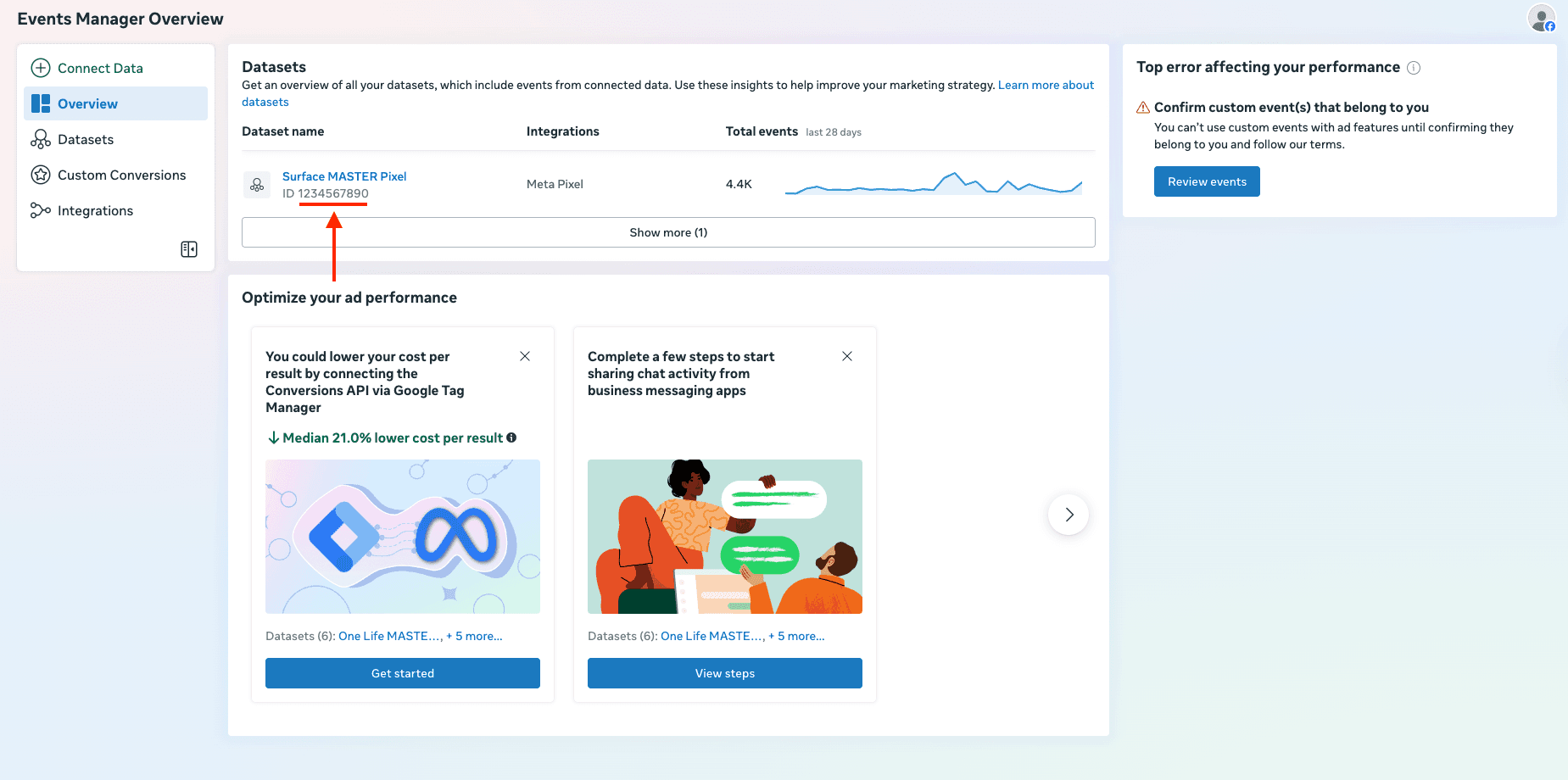
- In Datasets, find your Pixel and copy the ID.
2. Add meta pixel id to your Surface Form
Steps:
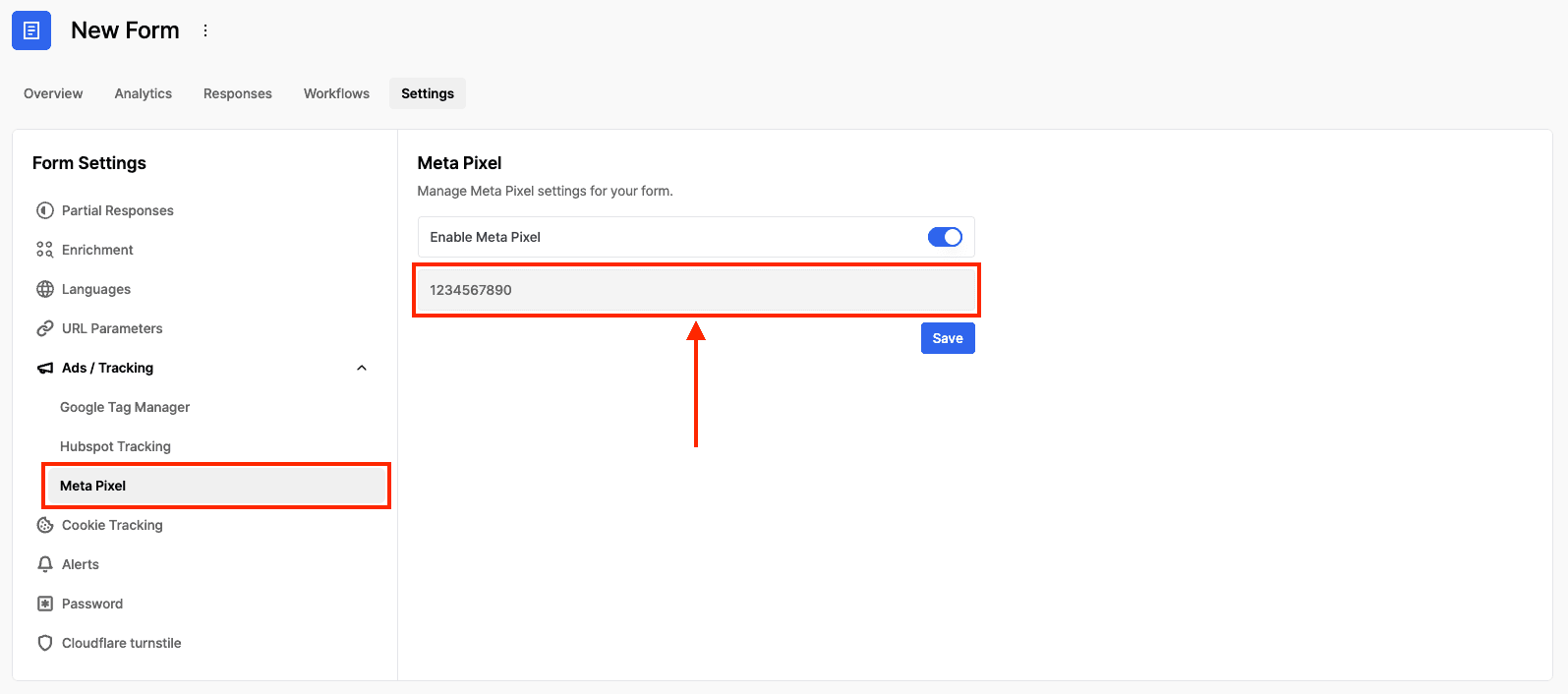
- In your Surface Form, go to Settings -> Ads / Tracking -> Meta Ads
- Add your Meta Pixel ID to the Meta Pixel field
- Click Save
3. Test the tracking in Events Manager
Steps:
- In Events Manager, open your dataset and go to Test events
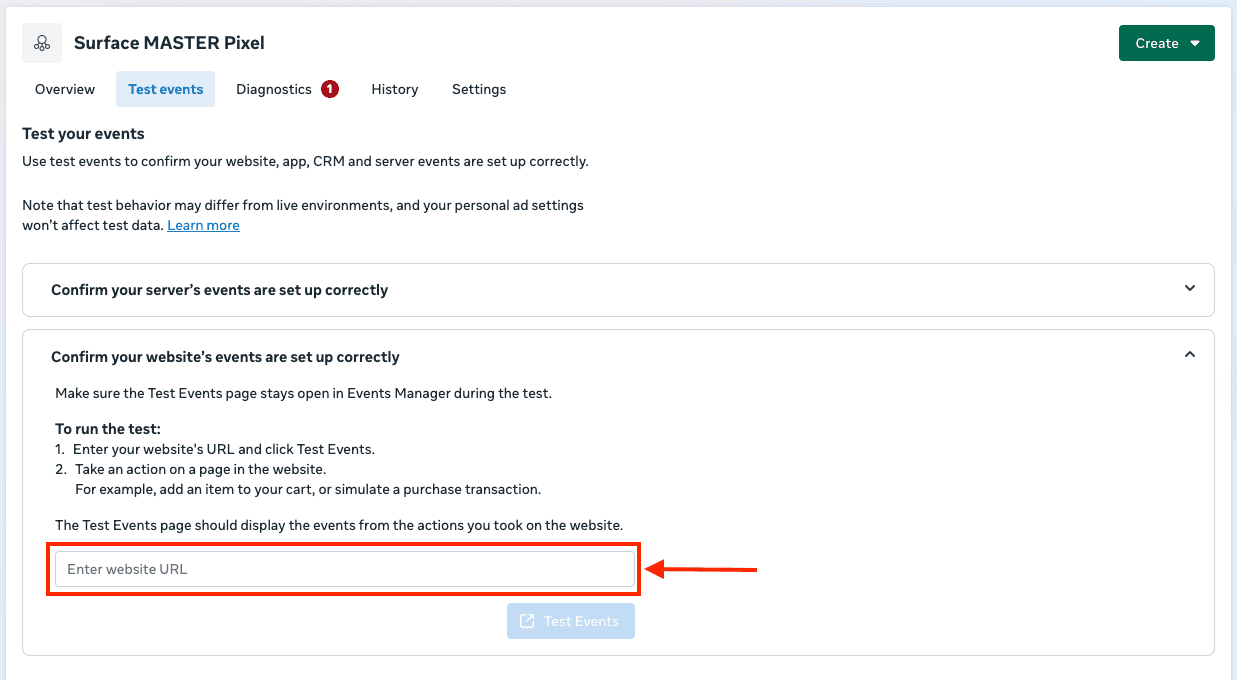
- Under Confirm your website's events are set up correctly, enter your website URL and click Test Events
- In a new tab, submit a Surface Form
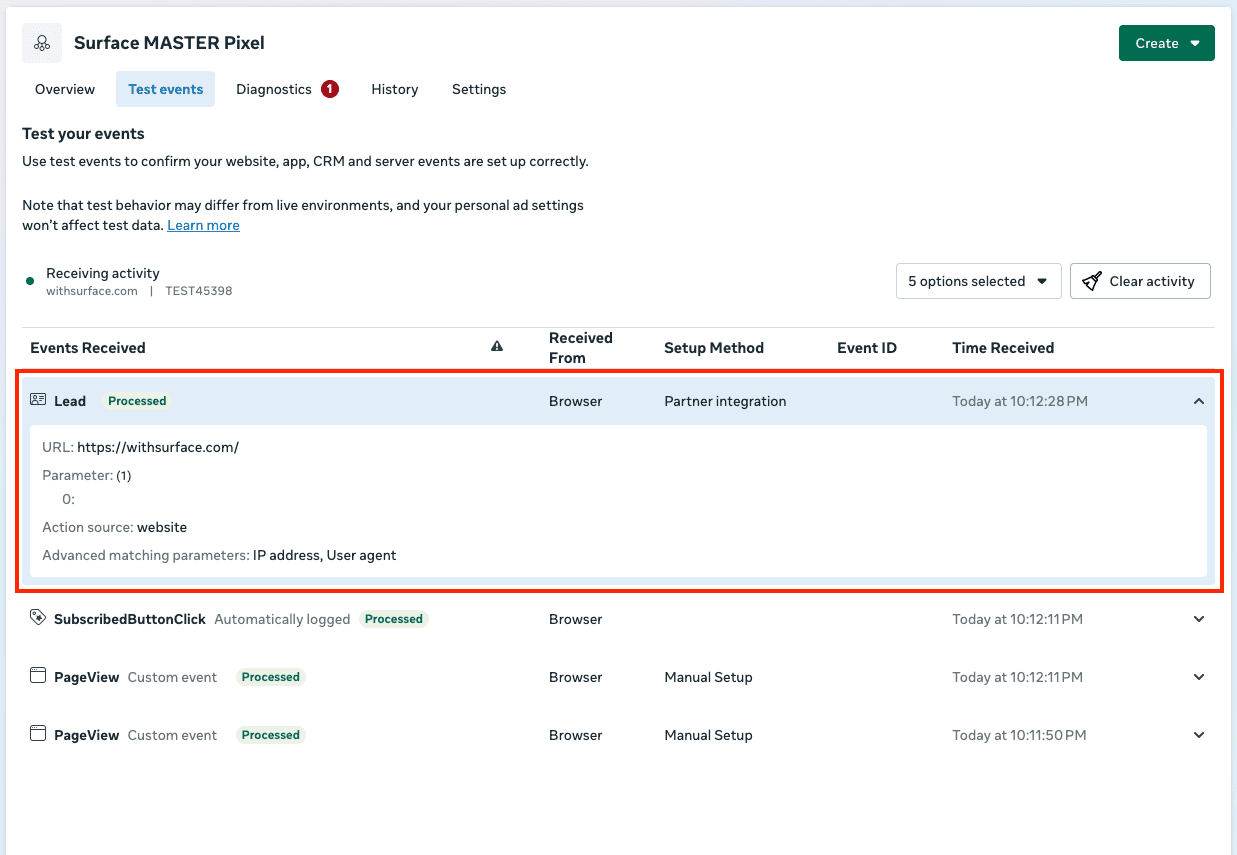
- Confirm you see a Lead event appear in Test events