
Email Input Field Trigger
Triggering via email input field submission
WAIT... Make sure that you have added the Surface Tag to your site before proceeding.
1. Add the HTML Form
Your HTML form needs the surface-form-handler class:
<form class="surface-form-handler">
  <input type="email" placeholder="Enter your email" required />
  <button type="submit">Submit</button>
</form>
Add the surface-form-handler class to any external form that you want to use to trigger the Surface Form popup.
2. Modify the Surface Form Embedding Script
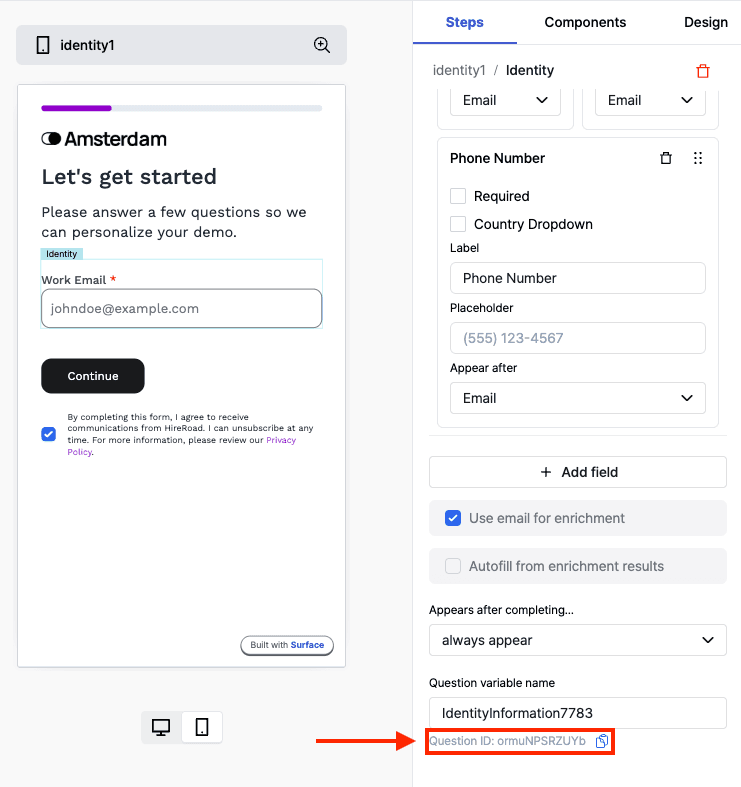
Modify the Surface Form Embedding Script to include the data-question-id attribute.
You must replace the <question_id> within data-question-id attribute below with the question ID from the Surface Form Builder.
<!-- Start Surface Form Embed -->

<script data-question-id="<question_id>">
  (function () {
    const surface_src = "surface_form_url";
    const surface_embed_type = "slideover"; // works on all embedding types!
    const target_element_class = "surface-form-button";
    const c = new SurfaceEmbed(
      surface_src,
      surface_embed_type,
      target_element_class,
    );
  })();
</script>

<!-- End Surface Form Embed -->
3. Test Your Integration
- Enter a valid email in the input field and press "Submit" or hit "Enter".
- Verify that the Surface Form popup is displayed as expected.
Optimize Speed
Add the following <link> tags inside the <head> of your site:
<!-- Speed up connections to forms.withsurface.com by performing early DNS resolution and TCP handshake -->
<link rel="dns-prefetch" href="https://forms.withsurface.com">
<link rel="preconnect" href="https://forms.withsurface.com" crossorigin>

<!--  Fetch the form in advance, so it's ready when a user opens it. -->
<link rel="prefetch" href="REPLACE ME WITH FORM URL" as="document">
Replace REPLACE ME WITH FORM URL with a Surface Form URL.
If the form uses a custom domain, replace forms.withsurface.com in the connection hints with your verified domain. See Use the Surface Tag with a Custom Domain.
Explanation
- dns-prefetch → Resolves the domain early to skip DNS lookup delays.
- preconnect → Prepares the TCP + TLS handshake so the browser is ready to request assets immediately.
- prefetch → Fetches the form in advance, so it's ready when a user opens it.
Where to Paste It
The constructor script goes in the same place as any other triggered embed.
Your existing email input needs class="surface-form-handler" on its <form>.
Webflow dashboard → Project Settings → Custom Code, and paste it into the Footer Code section. Publish the site for it to take effect.
Then give the trigger element the class: select the button in Designer, open
the Style panel, and add surface-form-button to the Style Selector.