
Conditional Logic
Control how users move through your form with conditional logic and branching flows
Conditional logic controls how people move through your form. You decide which step comes next, when a response counts as completed, and when to stop someone continuing.
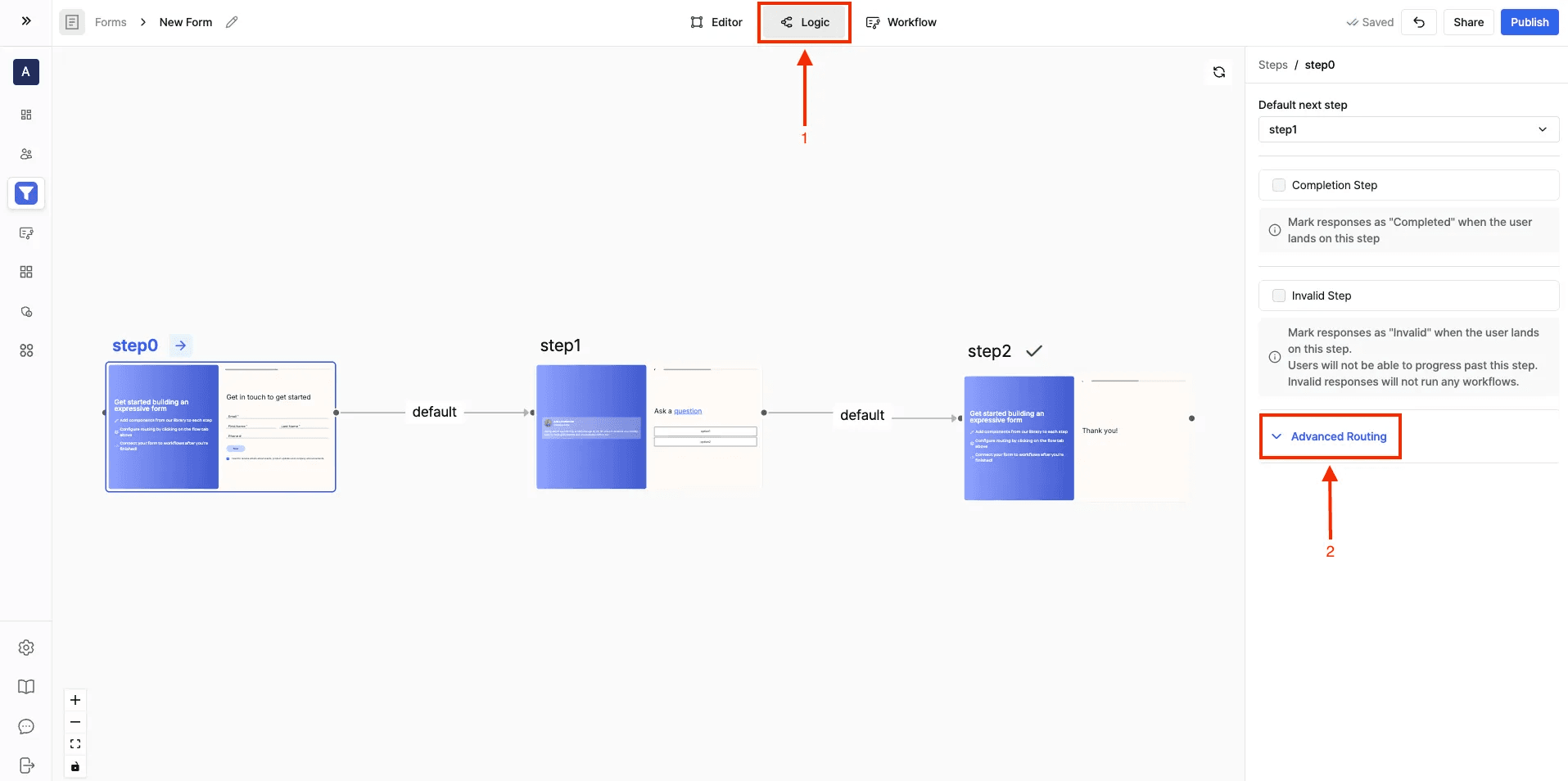
Open the Logic Tab
- Navigate to your form in the Surface editor.
- At the top, click on the Logic tab.
- Select the step you want to configure.
1. Change the Default Next Step
By default, each step flows to the next one in order. To change that:
- Select a step (e.g., step0).
- In the right-hand panel, open the Default next step dropdown.
- Choose which step should follow.
2. Mark a Step as a Completion Step
A Completion Step ends the form once the user reaches it.
- Toggle on Completion Step in the right-hand panel.
- When a user lands on this step, their response is marked as Completed, and workflows tied to completions will run.
Use this for your final Thank You or Confirmation screens.
3. Mark a Step as an Invalid Step
An Invalid Step blocks the user from progressing further.
- Toggle on Invalid Step in the right-hand panel.
- When a user lands here, their response is marked as Invalid.
- Invalid responses will not trigger workflows and the user cannot move forward.
Use it to filter out unqualified leads, or to handle incorrect inputs.
Advanced Routing (Routing Rules)
Advanced Routing sends people to different steps based on their answers, instead of a fixed linear flow.
What You Can Do with Advanced Routing
- Add Conditions: define rules that check user inputs (e.g., email, company size, budget, etc.).
- Use Form Response Data: conditions can be applied directly on responses collected in previous steps.
Example
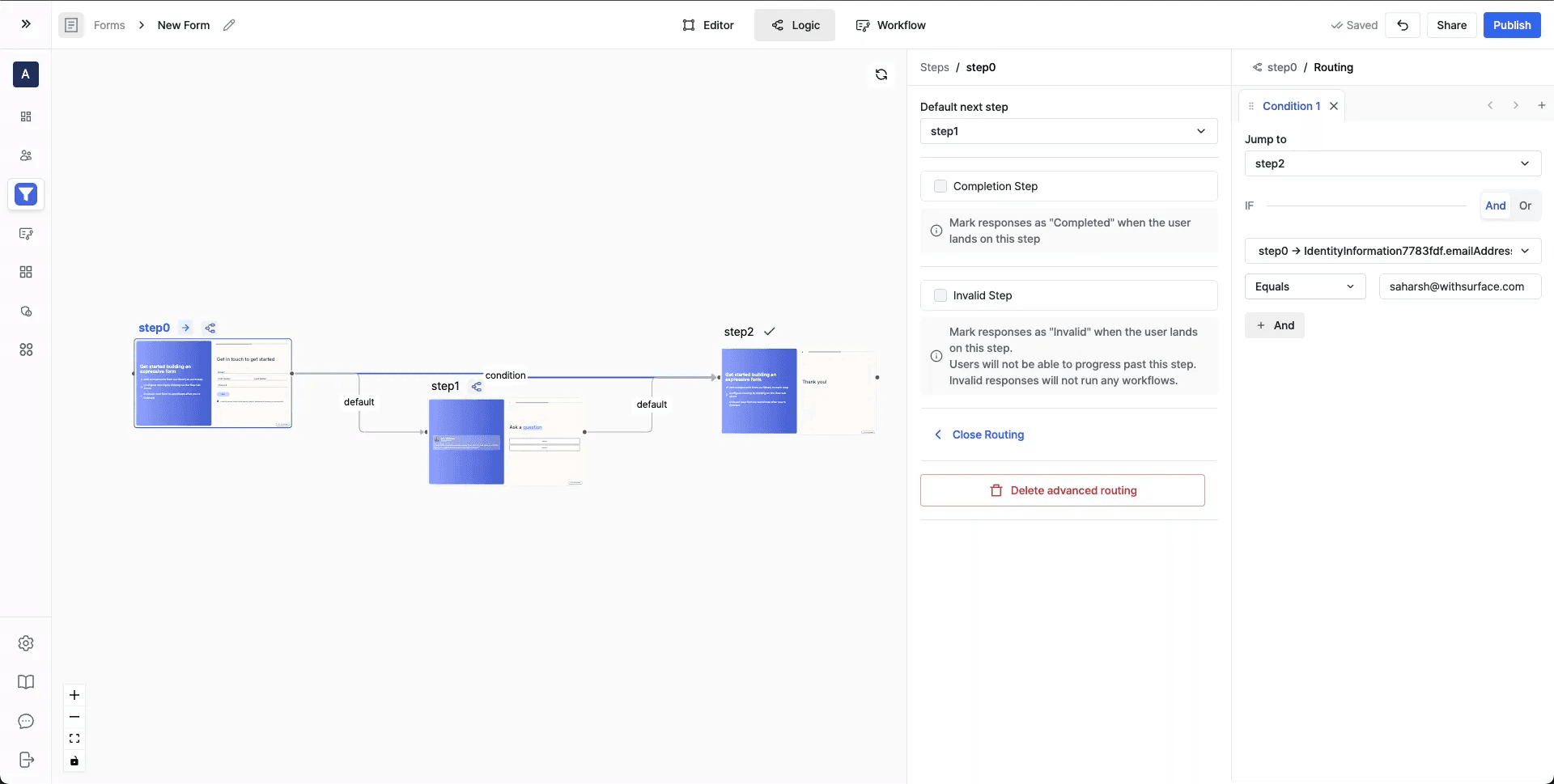
To skip certain people straight to the end of the form based on their email address:
- Condition: If the email entered in Step 0 equals saharsh@withsurface.com
- Action: Jump to Step 2 (Thank you step)
- Else: Default path continues to Step 1
Combine multiple conditions with AND / OR logic to build branching flows.