
Integrations
HubSpot
Create and update HubSpot contacts, companies and deals from form submissions
Integration Steps
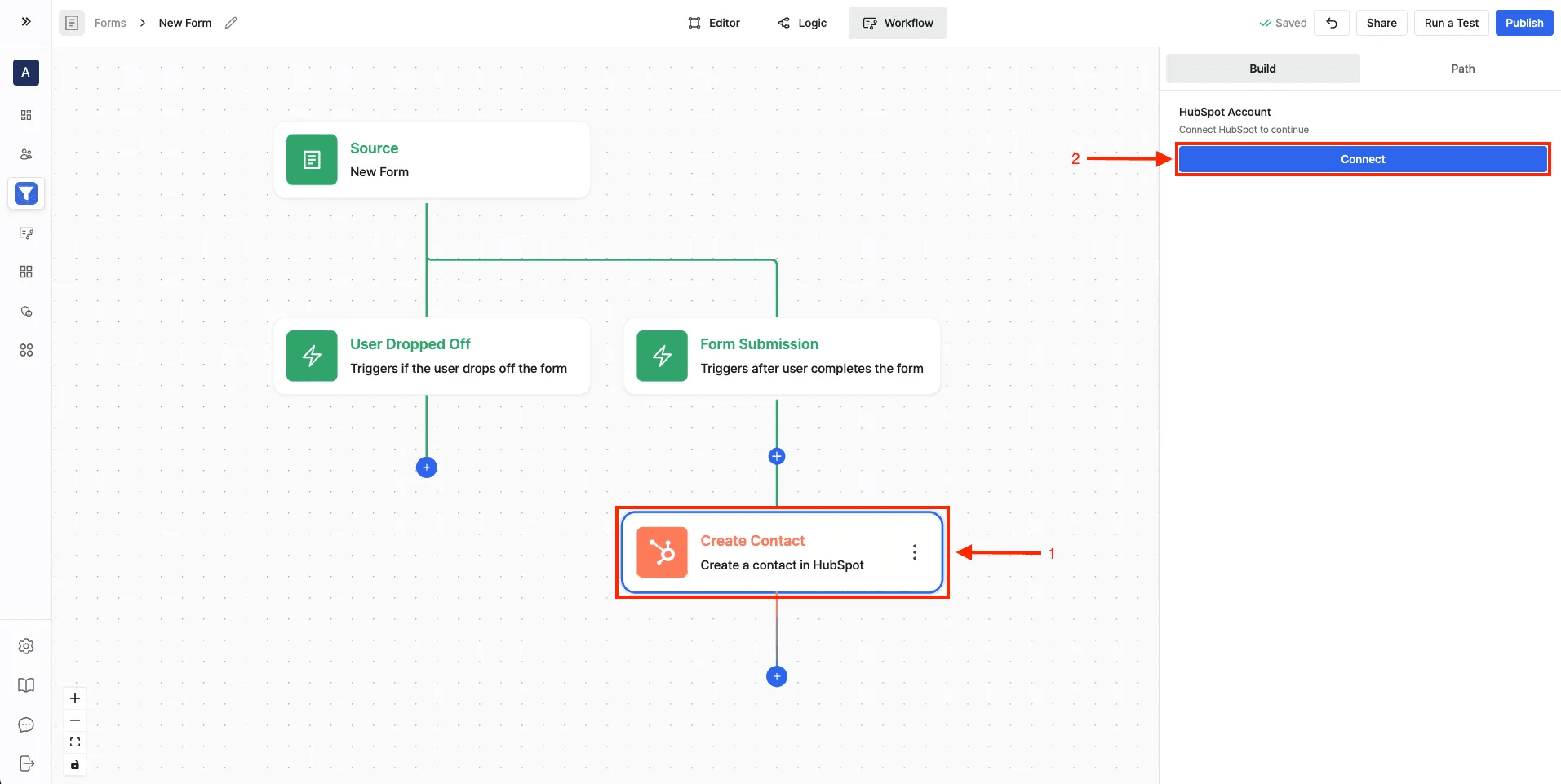
- Navigate to the Workflow Builder
- Add any HubSpot action and click Connect
- Select your HubSpot organization when prompted
- Accept Surface Labs invite
- Click Connect App to complete setup
Setting Up Workflows
- Go to Workflow Builder from the sidebar
- Click "Create workflow"
- Select source:
- Choose "Surface forms" as source
- Select your form
- Choose trigger type (Finished/In Progress/Dropped Off)
- Add HubSpot action:
-
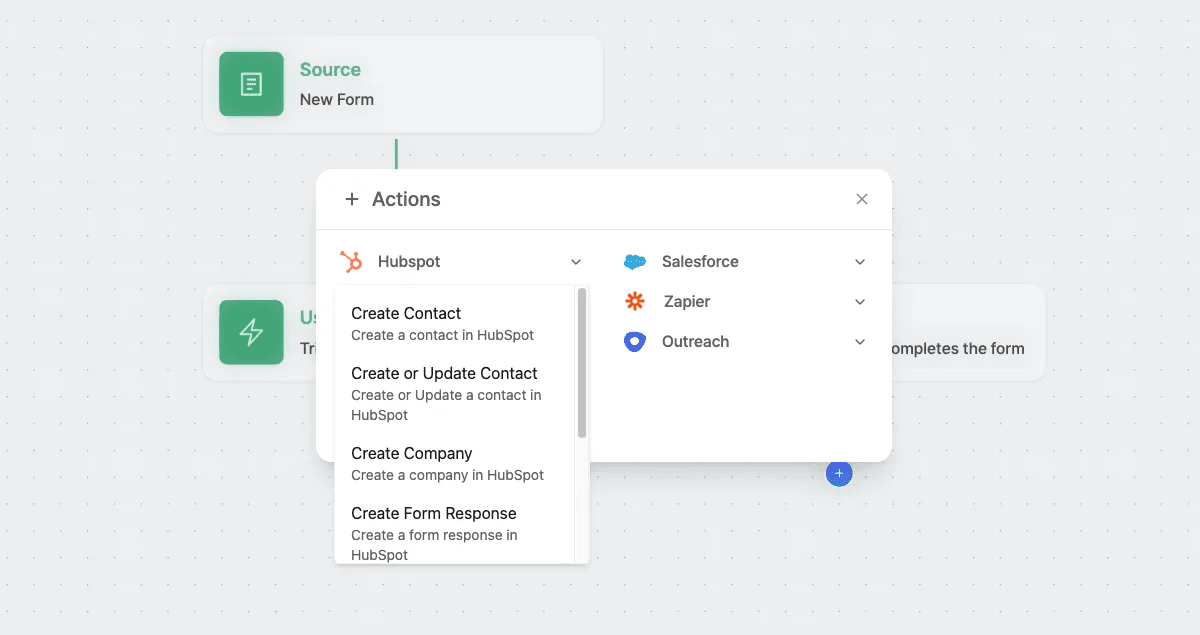
Click "+ Actions"
-
Select "HubSpot" from the actions list
-
Available Actions
- Create Contact: Create a new contact in HubSpot from form submission data.
- Create or Update Contact: Create or update a contact in HubSpot using form submission data.
- Create Company: Create a new company in HubSpot.
- Create Form Response: Create a form response in HubSpot.
- Create Deal: Create a new deal in HubSpot and associate it with contacts or companies.
- Get Owner: Retrieve a HubSpot owner by email address.
- HubSpot AI Agent: Use the AI Agent to manage contacts and deals in HubSpot.