# Claude OAuth Setup
Claude connects to MCP servers over OAuth through its **Connectors** feature. You sign in with your Surface account, so there are no API keys to manage.
## Setup [#setup]
Go to [claude.ai/customize/connectors](https://claude.ai/customize/connectors). Click the **+** button at the top and choose **Add custom connector**.
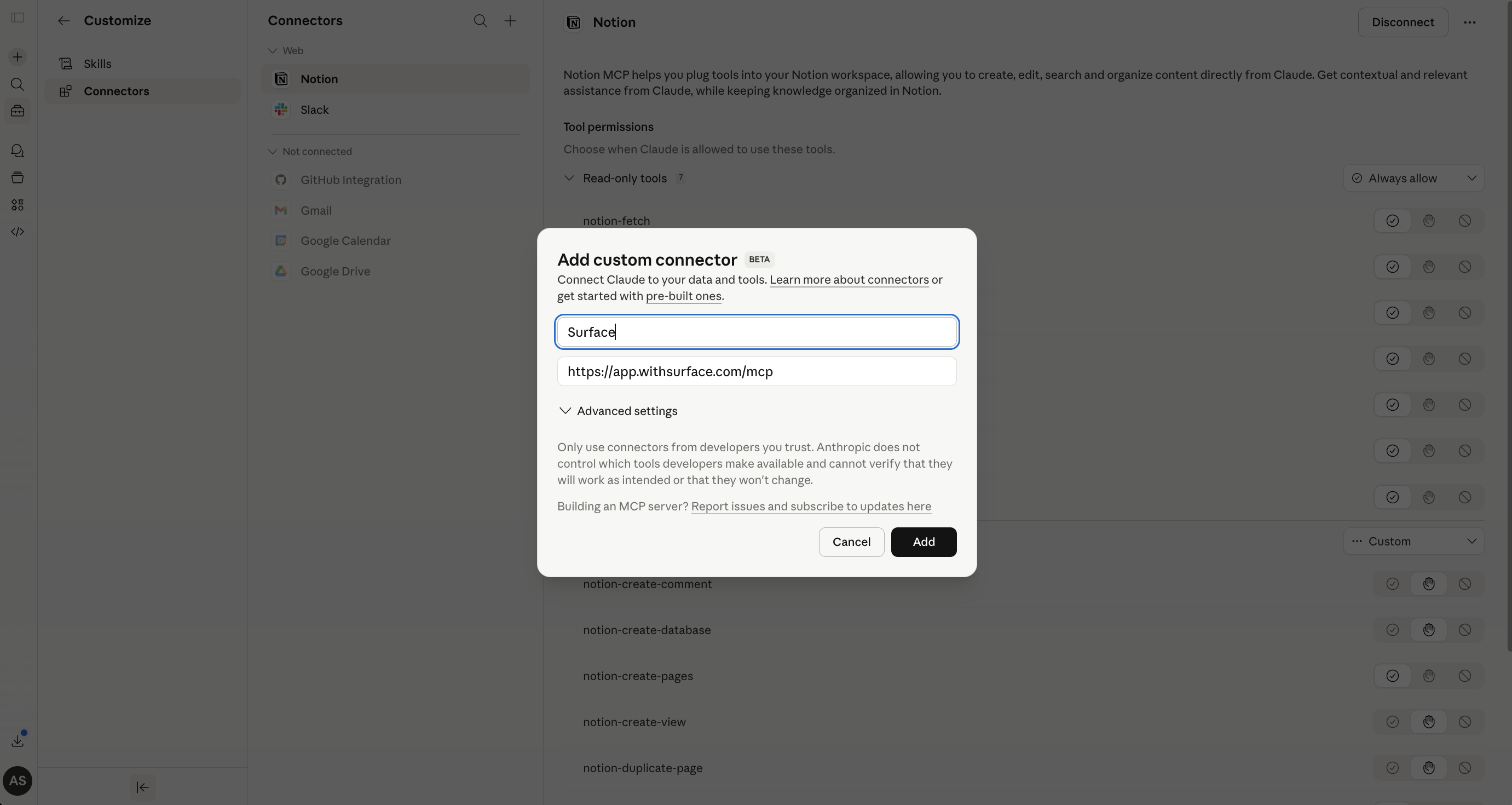
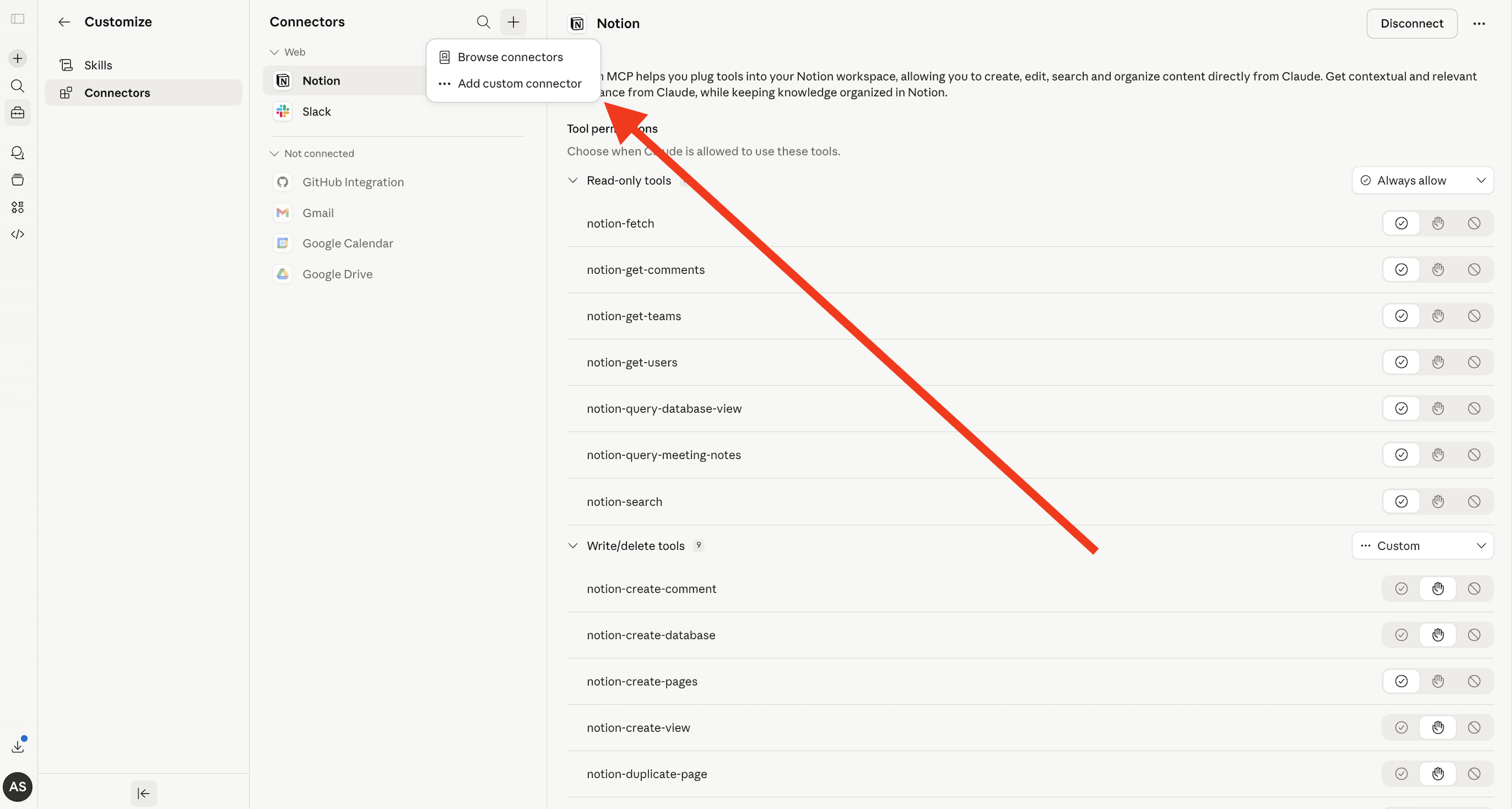 In the modal that appears, fill in the following:
* **Name:** `Surface`
* **Remote MCP server URL:** `https://app.withsurface.com/mcp`
Then click **Add**.
In the modal that appears, fill in the following:
* **Name:** `Surface`
* **Remote MCP server URL:** `https://app.withsurface.com/mcp`
Then click **Add**.
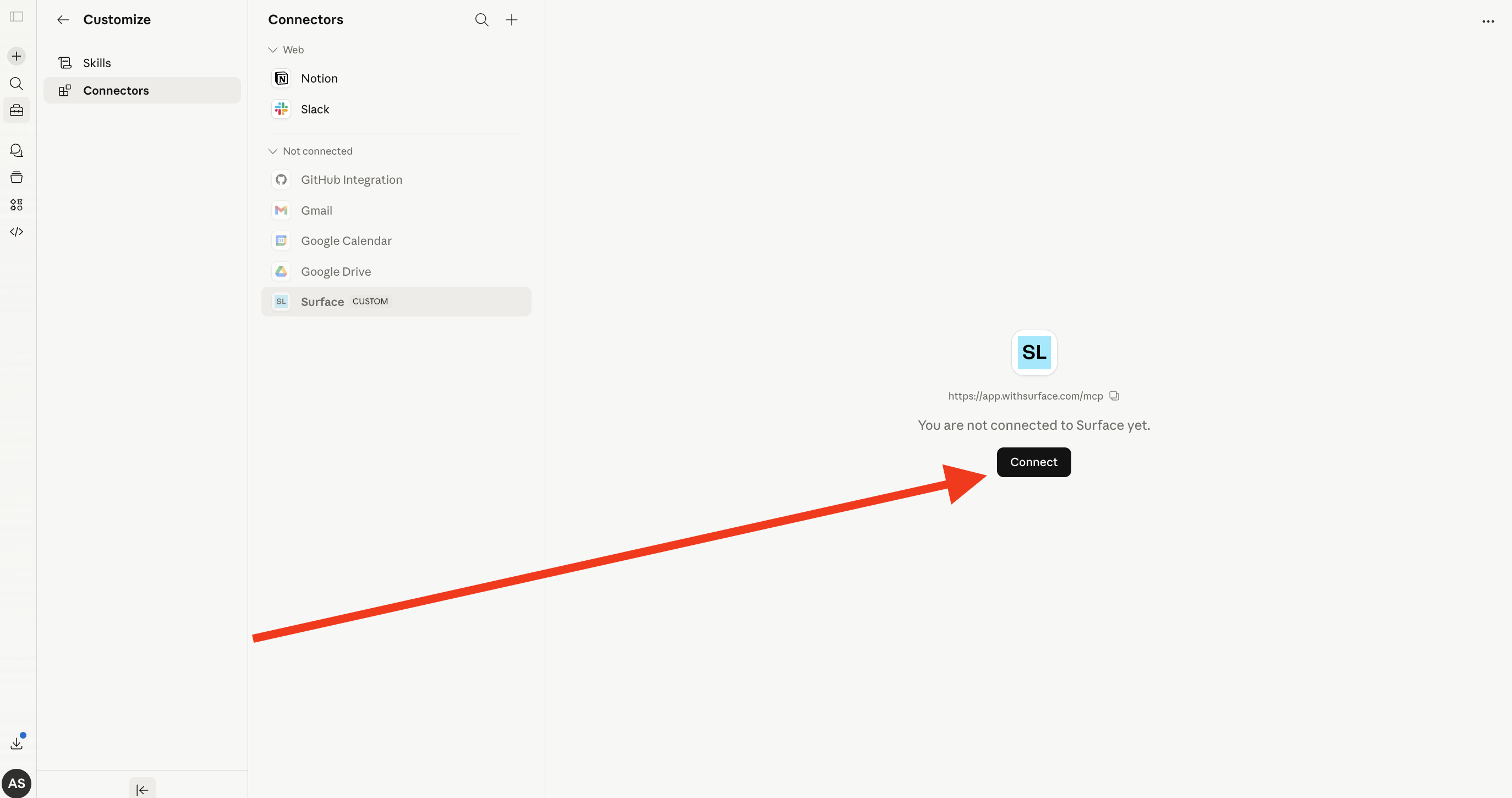
 After adding the connector, click the **Connect** button to authenticate with your Surface account via OAuth.
 Choose your environment and complete the connection. Surface now appears as a connector in Claude.
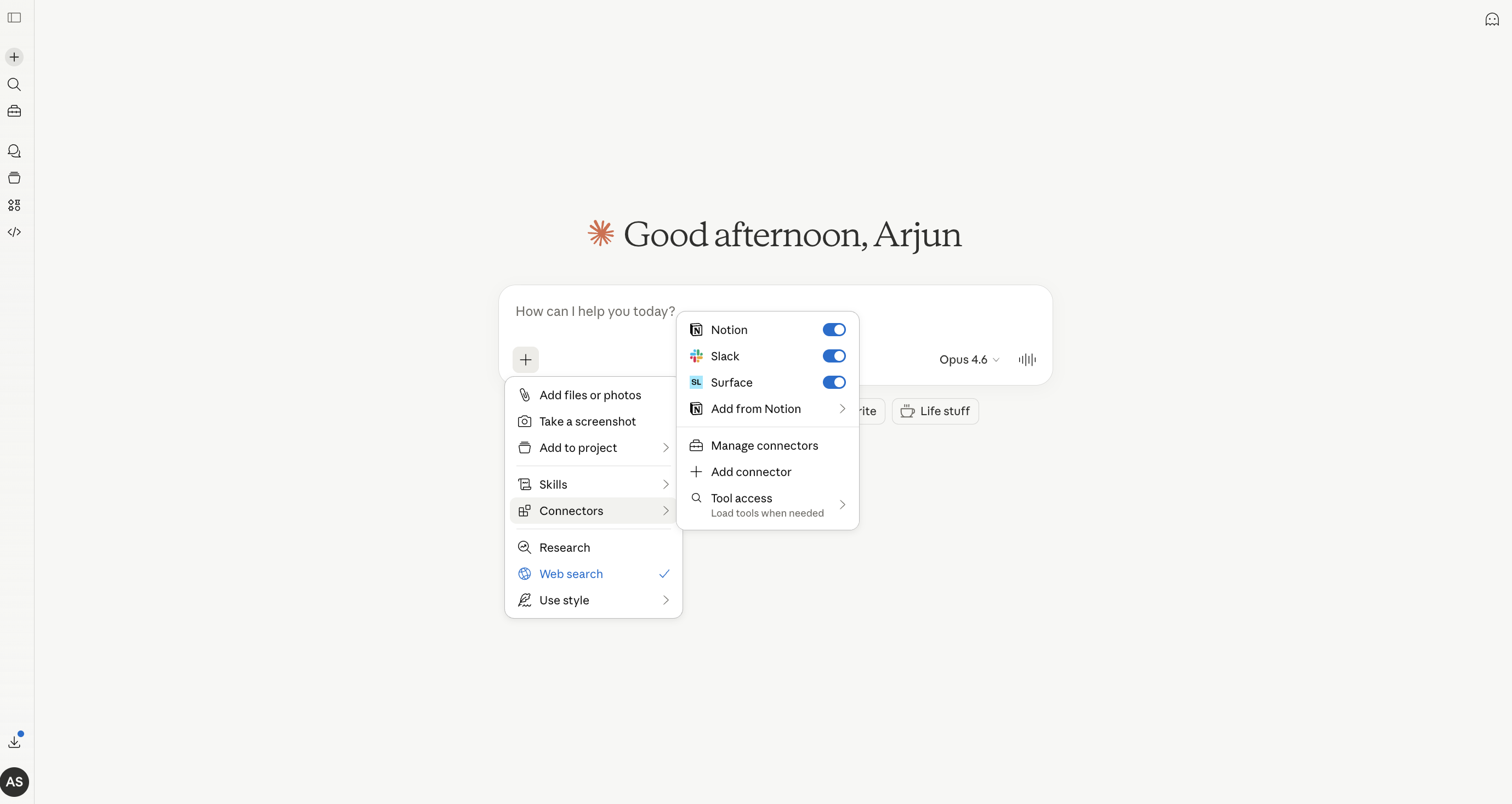
Turn the Surface connector on in any Claude chat via the **+** menu and **Connectors**. A connector added with the bare URL above loads the default 45 of 128 tools, the forms and vault bundles, which covers forms, responses, AI scores and the Vault. To load a different set, add `?tools=` to the connector URL: see [Tool Bundles](/mcp-server/tool-bundles).
Choose your environment and complete the connection. Surface now appears as a connector in Claude.
Turn the Surface connector on in any Claude chat via the **+** menu and **Connectors**. A connector added with the bare URL above loads the default 45 of 128 tools, the forms and vault bundles, which covers forms, responses, AI scores and the Vault. To load a different set, add `?tools=` to the connector URL: see [Tool Bundles](/mcp-server/tool-bundles).
 The OAuth connection is tied to your Surface account and environment, so there is no API key to rotate.