> ## Documentation Index
> Fetch the complete documentation index at: https://docs.withsurface.com/llms.txt
> Use this file to discover all available pages before exploring further.
# Step 1: Configure HubSpot Form
> Configure your HubSpot form to accept submissions from Surface Forms
You can **skip this step** if you already have a HubSpot form you want to send submissions to—go straight to [Configure HubSpot in Surface Workflow](/guides/hubspot-forms/configure-workflow) to map your form and set up the sync.
If you need to create or adjust a HubSpot form (for example, to support partial submissions), follow the steps below.
## Access Your HubSpot Form
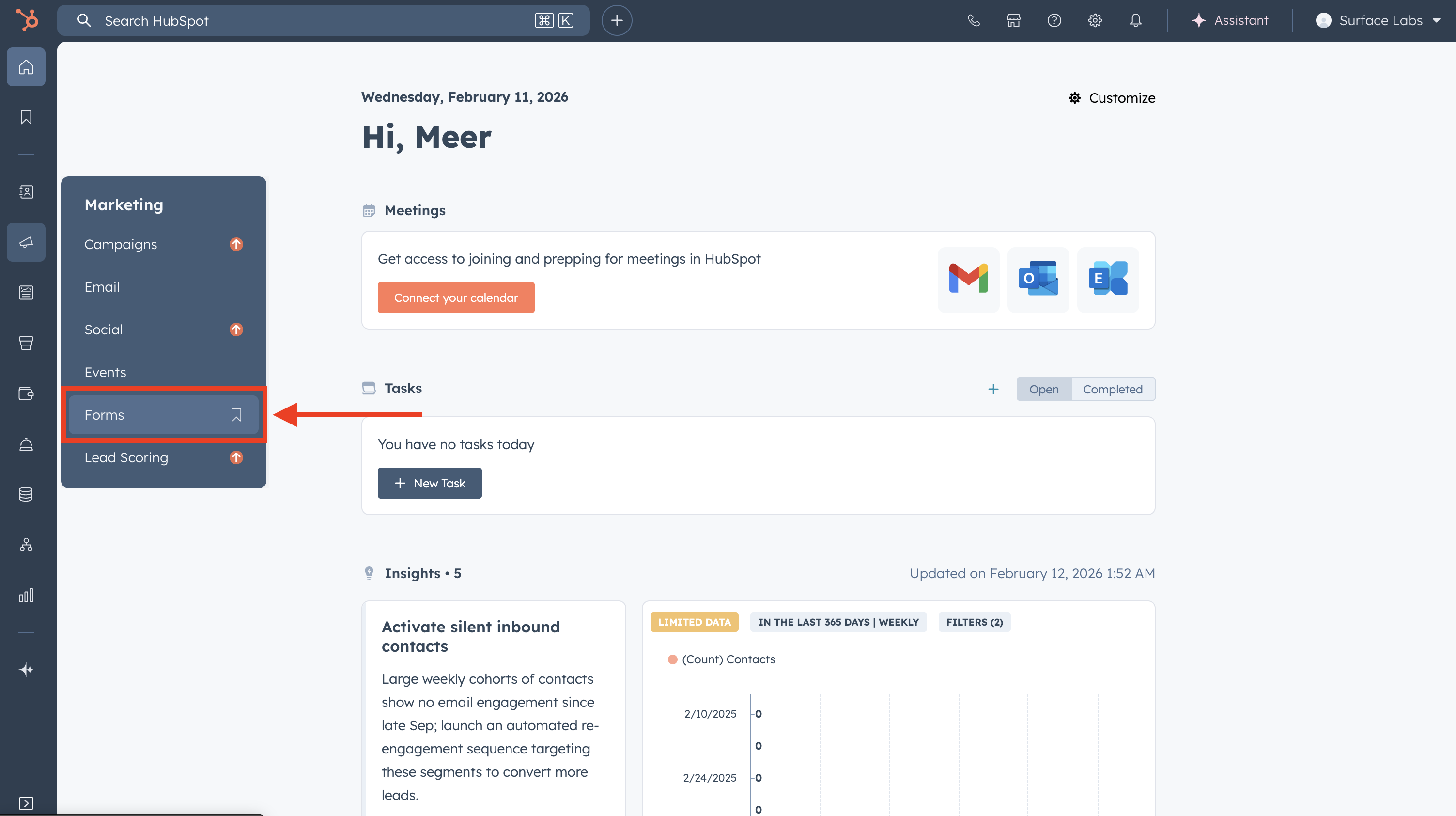 1. Log in to your **HubSpot** account
2. Navigate to **Marketing** → **Forms**
3. Click on the form you want to modify
## Make Existing Fields Optional (If Needed)
1. Log in to your **HubSpot** account
2. Navigate to **Marketing** → **Forms**
3. Click on the form you want to modify
## Make Existing Fields Optional (If Needed)
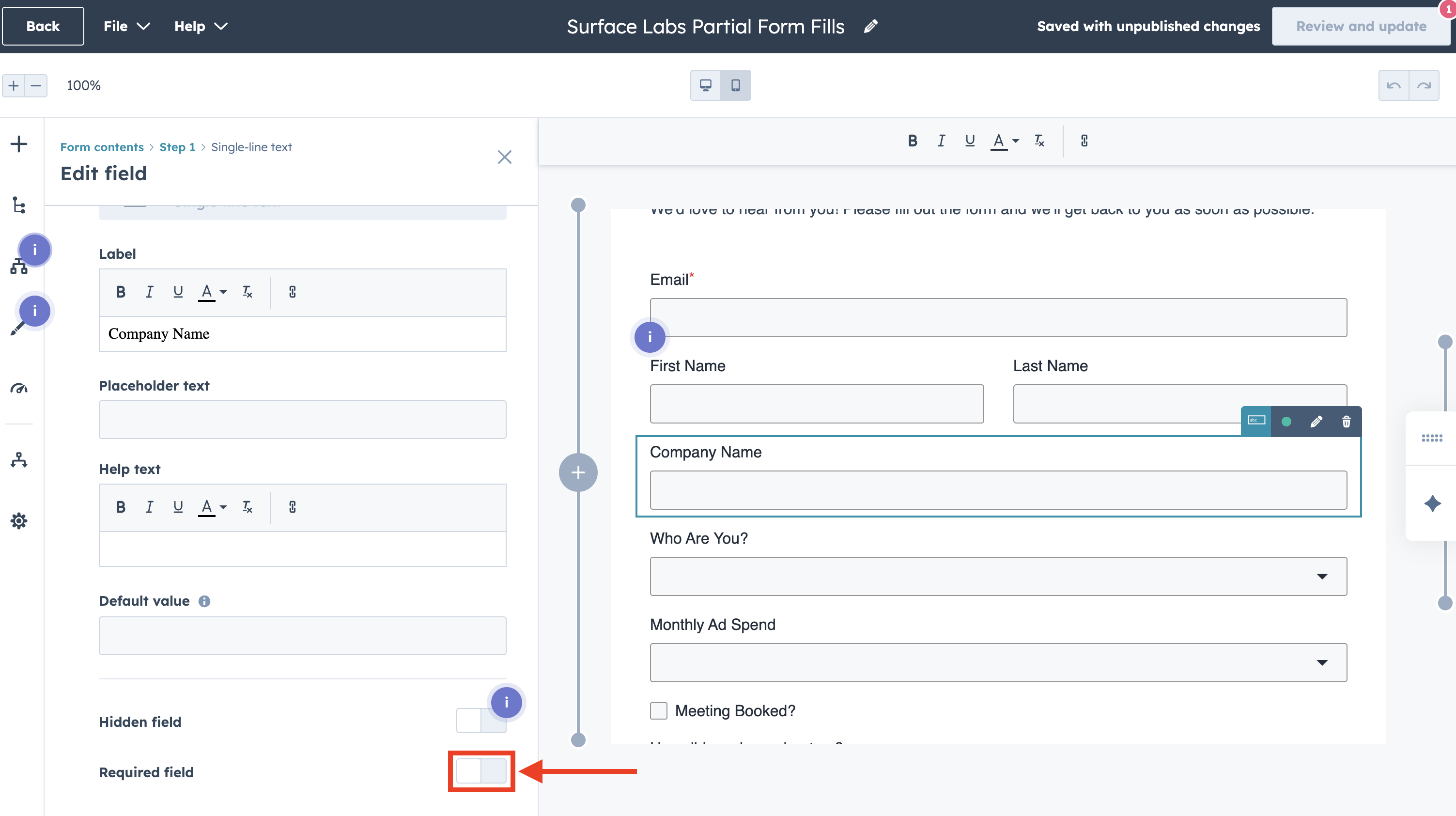 For submissions to work successfully, you may need to make some required fields optional:
1. Click on each field that might be empty in submissions
2. Find the **Required** checkbox or toggle
3. **disable** the Required option for fields that:
* Are not essential for lead capture
* May be filled in later stages of the form
* Are not needed for your workflows
4. **Keep required** any fields that are:
* Essential for your workflows
* Needed for contact identification (like email)
* Required for your business logic
## Best Practices
* **Workflow Testing**: Test workflows with both partial and complete submissions
* **Documentation**: Document which fields are optional and why
* **Monitoring**: Track partial vs. complete submissions to optimize your forms
For submissions to work successfully, you may need to make some required fields optional:
1. Click on each field that might be empty in submissions
2. Find the **Required** checkbox or toggle
3. **disable** the Required option for fields that:
* Are not essential for lead capture
* May be filled in later stages of the form
* Are not needed for your workflows
4. **Keep required** any fields that are:
* Essential for your workflows
* Needed for contact identification (like email)
* Required for your business logic
## Best Practices
* **Workflow Testing**: Test workflows with both partial and complete submissions
* **Documentation**: Document which fields are optional and why
* **Monitoring**: Track partial vs. complete submissions to optimize your forms