> ## Documentation Index
> Fetch the complete documentation index at: https://docs.withsurface.com/llms.txt
> Use this file to discover all available pages before exploring further.
# Step 3: Add Surface Domain to HubSpot
> Add forms.withsurface.com to HubSpot's Additional Site Domains for proper tracking and form submissions
export const AddSurfaceDomain = () => <>
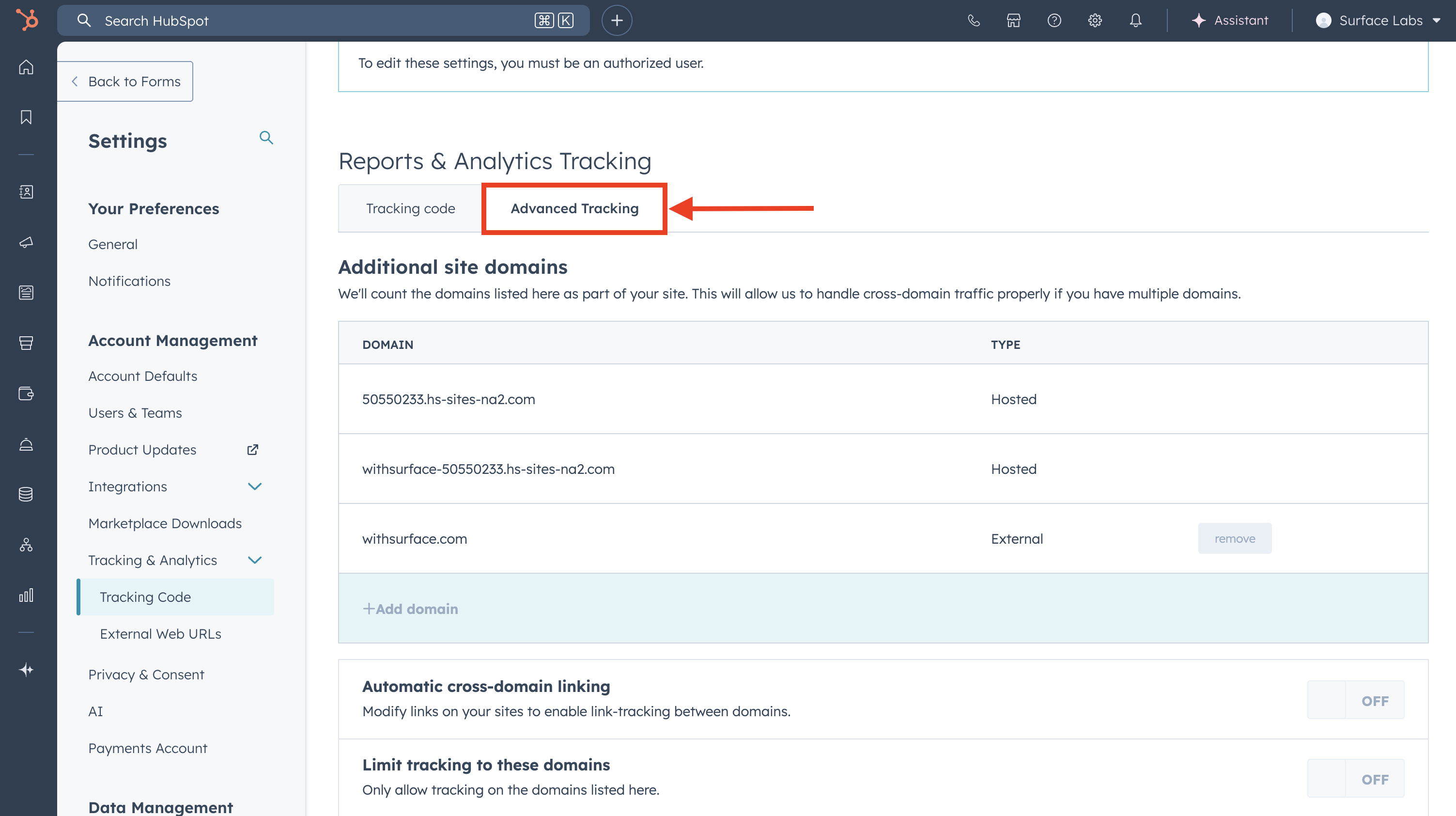
To enable proper tracking and form submissions, add Surface's domain to your HubSpot account:
- In your HubSpot account, navigate to Settings → Tracking & Analytics → Tracking Code
- Click on the Advanced Tracking tab
- Under Additional site domains, click + Add domain
- Enter
forms.withsurface.com
- Click Save
;